The Registration Certificate (RC) is the most important document for any vehicle in India. It serves as proof of vehicle registration with the Regional Transport Office (RTO) and contains essential information about the vehicle and its owner.
With the Parivahan portal, you can now check your Vehicle RC Status online from anywhere, anytime. This guide will walk you through the complete process.
What is Vehicle RC (Registration Certificate)?
A Registration Certificate (RC) is an official document issued by the RTO that proves a vehicle is registered with the government. It contains:
- Vehicle Registration Number
- Owner's Name and Address
- Vehicle Make, Model, and Type
- Engine Number and Chassis Number
- Fuel Type
- Registration Date and Validity
- Insurance Details
- Hypothecation Details (if vehicle is on loan)
How to Check Vehicle RC Status Online
Follow these simple steps to check your vehicle's RC status:
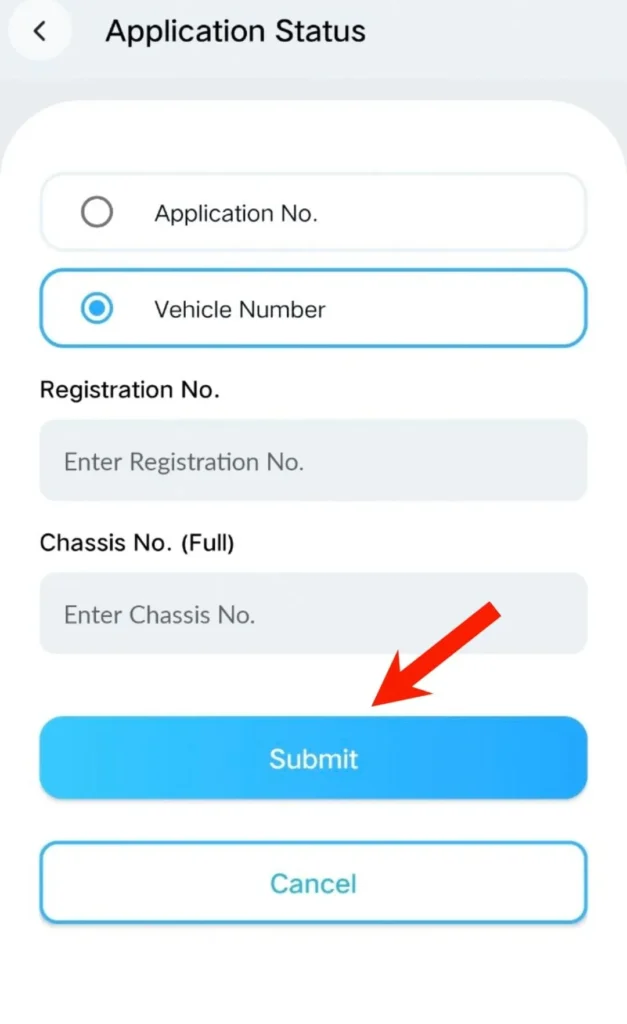
Method 1: Using Parivahan Portal
- Visit the official Parivahan website: parivahan.gov.in
- Click on "Informational Services" in the menu
- Select "Know Your Vehicle Details"
- Enter your mobile number for OTP verification
- Enter the Vehicle Registration Number (e.g., DL01AB1234)
- Fill in the Captcha code <
- View complete RC details on the screen
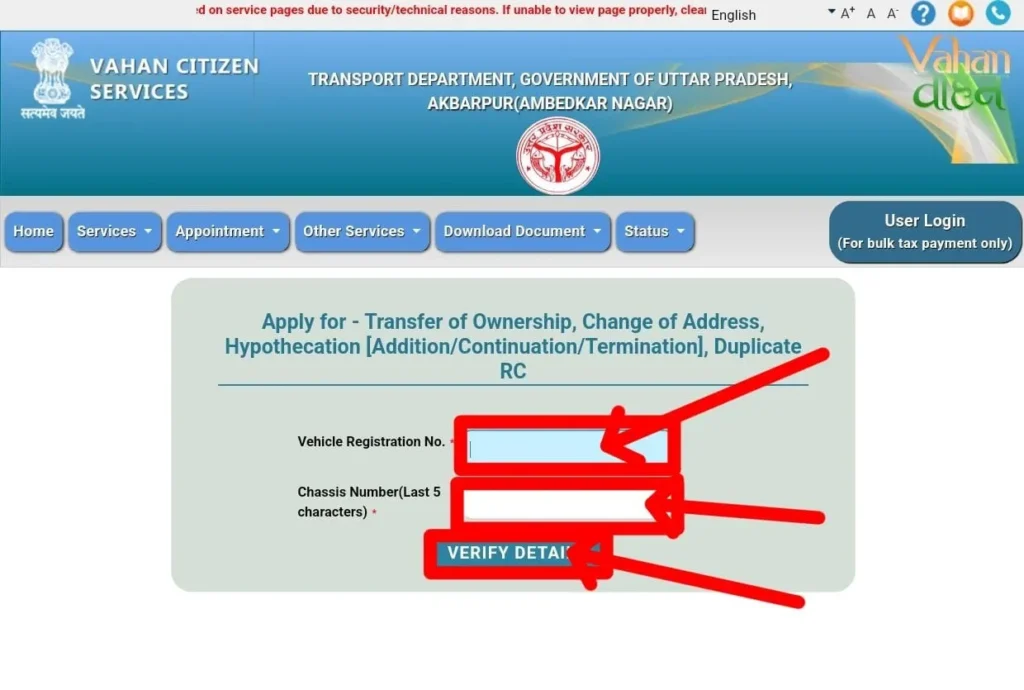 li>Click "Search Vehicle"
Method 2: Using mParivahan App
- Download mParivahan app from Google Play Store or Apple App Store
- Open the app and register with your mobile number
- Go to "RC" section
- Enter your vehicle registration number
- View RC details instantly
Information Available in RC Status Check
| Information | Details |
|---|---|
| Owner Name | Partially masked for privacy (e.g., R***H KUMAR) |
| Registration Date | Date when vehicle was first registered |
| RC Validity | Expiry date of Registration Certificate |
| Vehicle Class | Two Wheeler, Four Wheeler, Commercial, etc. |
| Fuel Type | Petrol, Diesel, CNG, Electric, etc. |
| Insurance Status | Valid/Expired with expiry date |
| PUC Status | Pollution Under Control certificate status |
| Fitness Validity | For commercial vehicles |
| Hypothecation | Bank/Financier name if vehicle is on loan |
RC Validity Period
The validity of a Registration Certificate depends on the type of vehicle:
- Private Vehicles: 15 years from the date of registration
- Commercial Vehicles: 10 years (can be renewed for 5 years at a time)
- Two Wheelers: 15 years from the date of registration
When to Check RC Status
You should check your vehicle's RC status in the following situations:
- Before buying a used/second-hand vehicle
- To verify insurance validity
- To check RC renewal date
- To verify hypothecation status after loan closure
- To check if any challan is pending
- Before transferring vehicle ownership
Common RC Status Meanings
| Status | Meaning |
|---|---|
| Active | RC is valid and vehicle can be used on roads |
| Expired | RC validity has ended, needs renewal |
| Suspended | RC is temporarily suspended due to violations |
| Cancelled | RC has been permanently cancelled |
| NOC Issued | Vehicle is being transferred to another state |
Frequently Asked Questions
1. Is it free to check RC status online?
Yes, checking RC status on the official Parivahan portal is completely free.
2. Can I check any vehicle's RC status?
Yes, you can check RC status of any vehicle registered in India by entering its registration number.
3. Why is the owner's name partially hidden?
For privacy and security reasons, the owner's name is partially masked in public searches.
4. What if RC status shows "Not Found"?
This could mean the registration number is incorrect, the vehicle is not registered, or data is not yet updated in the system.
5. Can I download RC copy from the portal?
You can view RC details online. For official RC copy, you need to visit the RTO or use DigiLocker.