Finding vehicle owner details by registration number has become easy with the Parivahan portal. Whether you want to verify a used car's ownership before buying, check details after an accident, or simply confirm vehicle information, the Vahan database provides all the details.
This guide explains how to check vehicle owner details online using the official government portal, mParivahan app, and other methods.
Why Check Vehicle Owner Details?
There are several reasons why you might need to check vehicle owner information:
- Buying a Used Vehicle: Verify the seller is the actual owner
- Accident Cases: Identify the vehicle owner for insurance claims
- Loan Verification: Check if vehicle is under hypothecation
- Theft Recovery: Verify ownership of a suspected stolen vehicle
- Number Plate Verification: Confirm if the vehicle is genuine
- Insurance Claims: Verify vehicle details for processing
How to Check Vehicle Owner Details Online
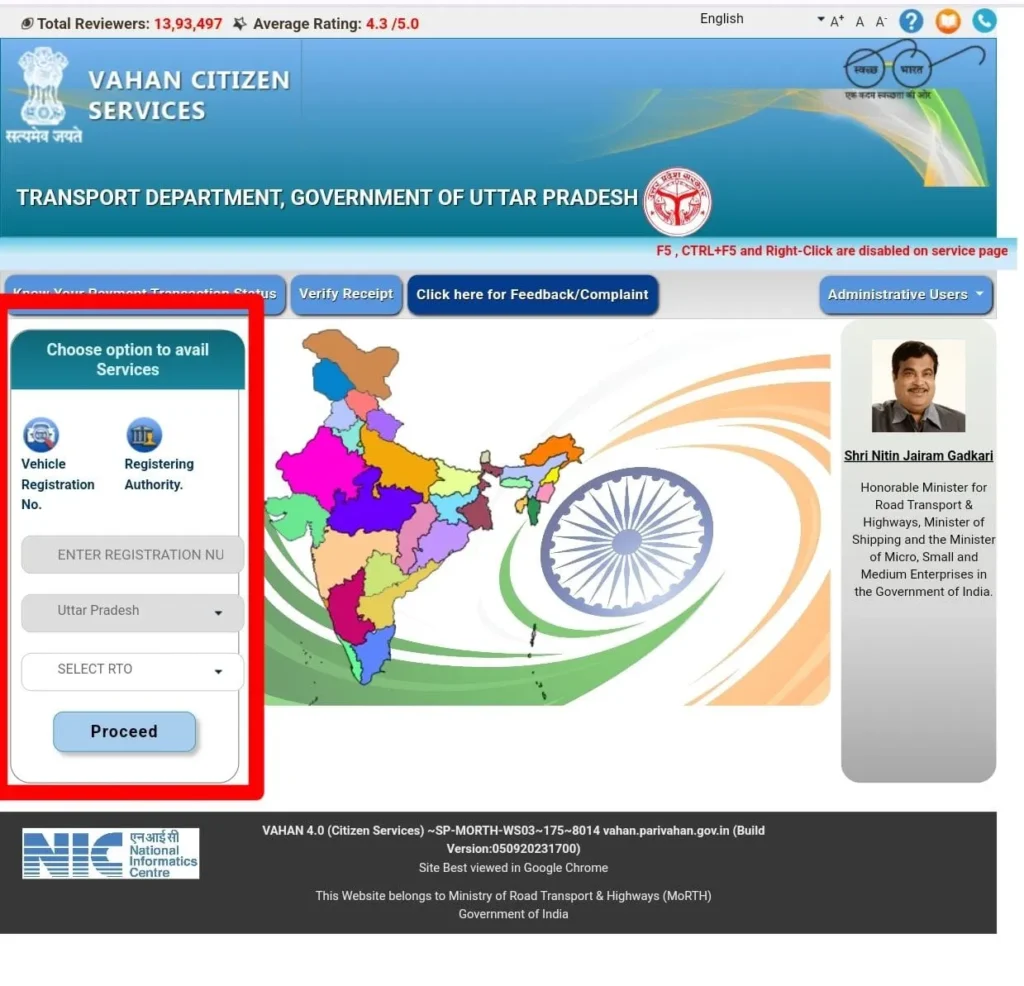
Method 1: Using Parivahan Portal
- Visit parivahan.gov.in
- Go to "Informational Services"
- Click on "Know Your Vehicle Details"
- Enter your mobile number for OTP verification
- Enter the Vehicle Registration Number (e.g., MH12AB1234)
- Enter the Captcha code
- Click "Search Vehicle"
- View owner details and vehicle information
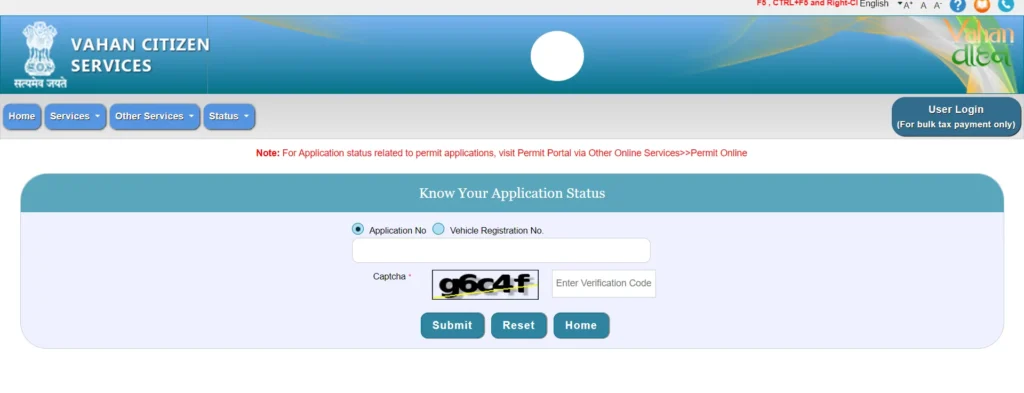
Method 2: Using mParivahan App
- Download mParivahan app from Play Store/App Store
- Register with your mobile number
- Go to "RC" section
- Enter the vehicle registration number
- View owner details instantly
Method 3: Using SMS Service
Send SMS in the following format:
VAHAN <space> Vehicle Number to 7738299899
Example: VAHAN MH12AB1234
Information Available in Owner Details Search
| Information | Availability |
|---|---|
| Owner Name | Partially Masked (e.g., R***H KUMAR) |
| Registration Date | Full Date Available |
| RC Expiry Date | Full Date Available |
| Vehicle Manufacturer | Available |
| Vehicle Model | Available |
| Vehicle Class | Available |
| Fuel Type | Available |
| Engine Number | Partially Masked |
| Chassis Number | Partially Masked |
| Insurance Status | Valid/Expired with Date |
| PUC Status | Valid/Expired |
| Hypothecation | Bank/Financier Name (if applicable) |
| RTO | Registering Authority Name |
Understanding Vehicle Registration Number Format
Indian vehicle registration numbers follow a specific format:
| Part | Description | Example |
|---|---|---|
| First 2 Letters | State Code | MH (Maharashtra), DL (Delhi) |
| Next 2 Digits | District/RTO Code | 12, 01, 02 |
| 1-2 Letters | Series Code | AB, CD, A, B |
| 4 Digits | Unique Number | 1234, 5678 |
State Codes in India
| Code | State | Code | State |
|---|---|---|---|
| AN | Andaman & Nicobar | MH | Maharashtra |
| AP | Andhra Pradesh | MN | Manipur |
| AR | Arunachal Pradesh | MP | Madhya Pradesh |
| AS | Assam | MZ | Mizoram |
| BR | Bihar | NL | Nagaland |
| CG | Chhattisgarh | OD | Odisha |
| DL | Delhi | PB | Punjab |
| GA | Goa | RJ | Rajasthan |
| GJ | Gujarat | SK | Sikkim |
| HP | Himachal Pradesh | TN | Tamil Nadu |
| HR | Haryana | TS | Telangana |
| JH | Jharkhand | TR | Tripura |
| JK | Jammu & Kashmir | UK | Uttarakhand |
| KA | Karnataka | UP | Uttar Pradesh |
| KL | Kerala | WB | West Bengal |
What is BH Series Registration?
BH (Bharat) Series is a new registration format that allows vehicle owners to transfer their vehicles across states without re-registration:
- Format: YY BH XXXX XX (e.g., 22 BH 1234 AB)
- Eligible for defense personnel, central government employees, and private sector employees posted in 4+ states
- No need to pay road tax again when moving to a new state
- Valid throughout India
Frequently Asked Questions
1. Can I get complete owner name and address?
No, for privacy and security reasons, complete owner details are only available to authorized government officials. Public searches show partially masked information.
2. Is checking vehicle owner details legal?
Yes, checking basic vehicle information through official portals is legal. This data is meant for verification purposes.
3. Can I check any vehicle's details?
Yes, you can check details of any vehicle registered in India by entering its registration number.
4. Why is the owner's name masked?
To protect privacy and prevent misuse of personal information, owner names are partially hidden in public searches.
5. What if vehicle details are not found?
This could mean the registration number is incorrect, the vehicle is not registered, or the data is not yet updated in the Vahan database.