Hypothecation is a term used when a vehicle is purchased through a loan from a bank or financial institution. The RC of such vehicles shows "Hypothecated to [Bank Name]" which indicates the vehicle is under loan. Once the loan is fully paid, you must remove this hypothecation mark from your RC.
This guide explains the complete process to remove hypothecation (HP termination) from your vehicle registration certificate online and offline.
What is Hypothecation in Vehicle RC?
When you purchase a vehicle through a loan:
- The bank/NBFC becomes the hypothecatee (lien holder)
- Your RC shows "Hypothecated to [Bank Name]"
- This is registered with RTO for security
- Bank can claim vehicle if EMIs are not paid
- Vehicle cannot be sold until hypothecation is removed
Documents Required for HP Termination
| Document | Details |
|---|---|
| Original RC | Registration Certificate of vehicle |
| Form 35 | Application for HP termination |
| NOC from Bank | No Objection Certificate from financier |
| Loan Closure Letter | Letter confirming loan is fully paid |
| Identity Proof | Aadhaar/PAN/Voter ID |
| Address Proof | Current address document |
| Insurance Copy | Valid vehicle insurance |
| PUC Certificate | Valid pollution certificate |
Hypothecation Removal Fee
| Fee Type | Amount |
|---|---|
| Government Fee | ₹50 - ₹100 |
| Service Charge | ₹50 - ₹100 |
| Smart Card Fee (if applicable) | ₹200 - ₹300 |
| Total Approximate | ₹300 - ₹500 |
Online Process for HP Termination
Step 1: Get Documents from Bank
- After final EMI payment, visit your bank branch
- Request for loan closure letter
- Get NOC (No Objection Certificate) from bank
- Get original RC if it was with bank
- Get signed Form 35 from bank
Step 2: Apply Online on Parivahan
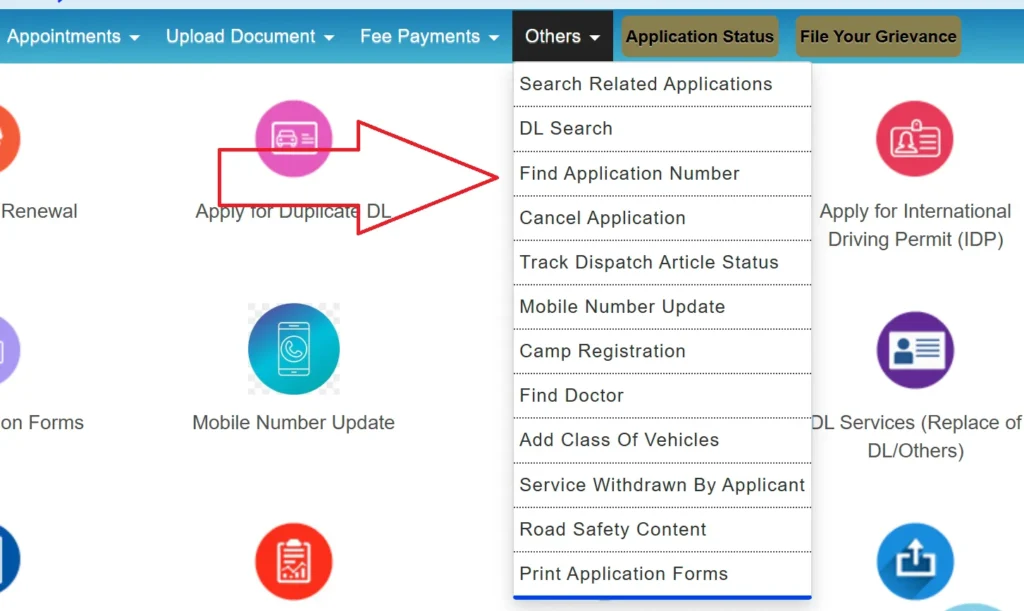
- Visit parivahan.gov.in
- Select your state from dropdown
- Click on "Online Services" → "Vehicle Related Services"
- Select "Termination of Hire Purchase Agreement"
- Enter vehicle registration number
- Enter chassis number (last 5 digits)
- Verify OTP sent to registered mobile
Step 3: Fill Application Form
- Verify vehicle and owner details
- Upload scanned documents (NOC, Form 35)
- Upload loan closure certificate
- Pay applicable fees online
- Book appointment slot at RTO (if required)
- Download application receipt
Step 4: RTO Verification
- Visit RTO on appointment date
- Submit original documents for verification
- RTO officer verifies bank NOC
- Get acknowledgment receipt
- New RC without HP endorsement dispatched within 7-15 days
Offline Process for HP Removal
- Collect all documents from bank
- Visit local RTO office
- Submit Form 35 with documents
- Pay fees at RTO counter
- Get token/receipt
- RTO processes application
- Collect updated RC after processing
How to Get NOC from Bank
- Pay all remaining EMIs and close the loan
- Visit bank branch with loan account details
- Request loan closure certificate
- Request Form 35 signed by bank
- Request NOC letter on bank letterhead
- Get original RC if bank had retained it
Details Required in Bank NOC:
- Vehicle registration number
- Chassis and engine number
- Owner's name
- Loan account number
- Date of loan closure
- Statement: "No dues pending"
- Bank stamp and authorized signature
Form 35 - HP Termination Application
Form 35 is the official application for termination of hire purchase agreement:
- Available at RTO or Parivahan portal
- Must be signed by both owner and financier (bank)
- Contains vehicle details, loan details
- Declaration that loan is fully repaid
Processing Time
| Mode | Time |
|---|---|
| Online Application | 7-15 working days |
| Offline at RTO | 15-30 working days |
| Through Agent | 10-20 working days |
Check HP Termination Status
- Visit vahan.parivahan.gov.in
- Enter vehicle registration number
- Check "Hypothecation" field
- If empty or shows "None" - HP is removed
- If shows bank name - HP still exists
Why is HP Removal Important?
- Vehicle Sale: Cannot sell vehicle with HP endorsement
- Transfer: Ownership transfer blocked until HP removed
- Insurance Claim: May face issues in claim settlement
- Legal Issues: Bank can claim vehicle in disputes
- New Loan: Cannot get new loan on same vehicle
Common Issues & Solutions
| Issue | Solution |
|---|---|
| Bank not giving NOC | Request in writing, escalate to branch manager |
| Bank closed/merged | Contact successor bank with proof |
| Lost Form 35 | Get duplicate from bank or RTO |
| Old loan, bank records unavailable | Apply through affidavit at RTO |
| Wrong HP entry in RC | Apply for correction with proof |
Frequently Asked Questions
1. Is HP removal mandatory after loan closure?
Yes, it is mandatory. Without HP removal, you cannot sell or transfer the vehicle.
2. How long does HP removal take?
Online process takes 7-15 days, offline takes 15-30 days depending on RTO workload.
3. Can I remove HP without bank NOC?
No, bank NOC is mandatory. If bank is closed, you need to contact successor bank.
4. What is Form 35?
Form 35 is the official application form for termination of hire purchase agreement.
5. Is there any time limit for HP removal after loan closure?
There's no time limit, but it's recommended to do it immediately after loan closure.
6. Can I do HP removal online?
Yes, through Parivahan portal. However, you may need to visit RTO for document verification.
7. What if my bank has merged with another bank?
Contact the merged bank. They will have access to old loan records and can issue NOC.