The Parivahan Sewa Portal is the backbone of digital transport services in India. Launched by the Ministry of Road Transport and Highways (MoRTH), this initiative digitizes the interaction between citizens and Regional Transport Offices (RTOs).
For anyone looking to find Vehicle Owner Details, apply for a license, or pay traffic fines, this portal serves as a one-stop solution, ensuring transparency and eliminating the need for long queues.
Core Systems of Parivahan
The portal operates on two primary centralized databases:
- Vahan (Vehicle Related): Handles all data regarding vehicle registration, ownership details, road tax, fitness certification, and HSRP.
- Sarathi (License Related): Manages data for drivers, including Learner's Licenses (LL), Driving Licenses (DL), and driving schools.
How to Check Vehicle Owner Details (RC Status)
One of the most used features of the portal is checking the registration status of a vehicle. This allows you to verify ownership, insurance validity, and vehicle age.
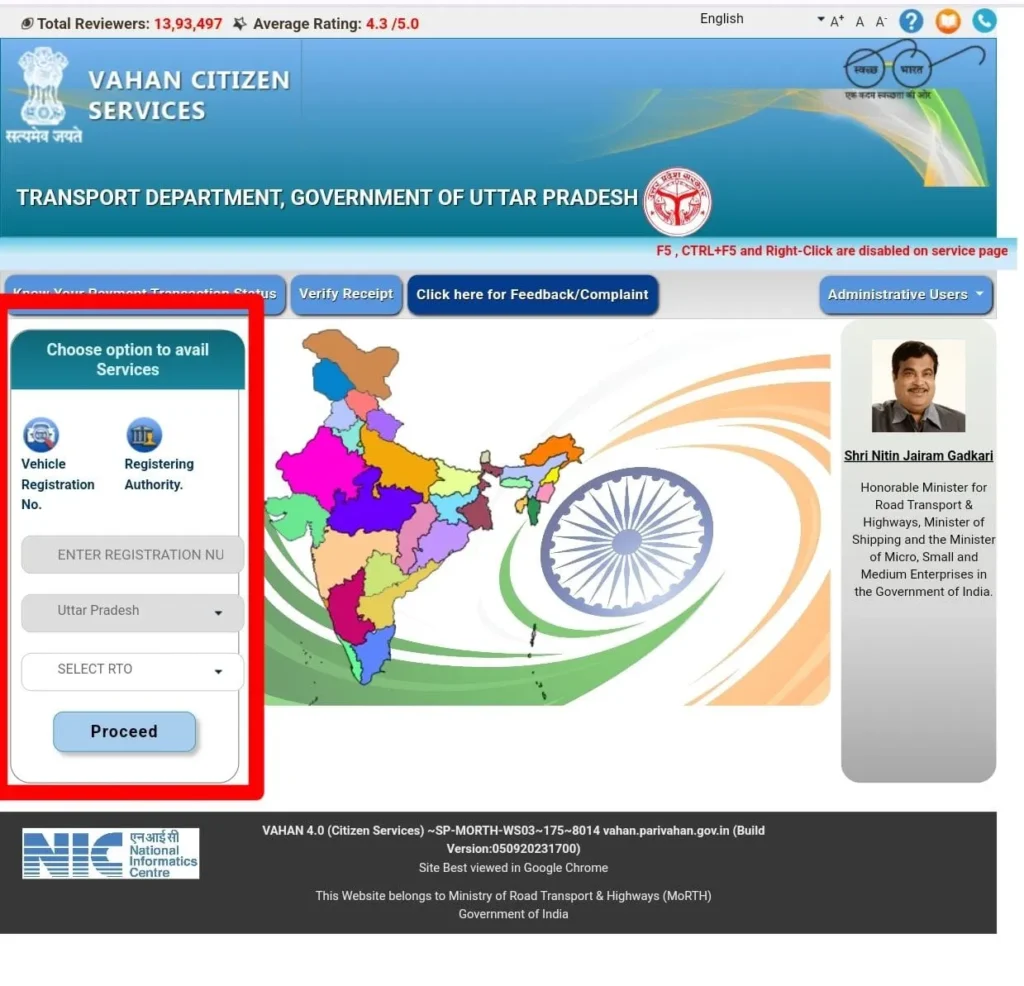
Steps to Check Details:
- Visit the official Parivahan Sewa website.
- Navigate to "Informational Services" in the menu.
- Select "Know Your Vehicle Details".
- Log in with your mobile number (an OTP verification is required).
- Enter the Vehicle Registration Number and the Captcha code.
- Click "Search Vehicle" to view details such as:
- Owner Name (Partially masked for privacy).
- Vehicle Model and Fuel Type.
- Registration Date and Validity.
- Insurance, PUC status, and Financier Details (if on loan).
Driving License Services (Sarathi)
The Sarathi platform simplifies the lifecycle of a driving license, from the learner stage to renewal.
1. Types of Licenses
- Learner's License (LL): Valid for 6 months. Required before applying for a permanent DL.
- Permanent Driving License (DL): Issued after passing a driving skill test. Valid for 20 years or until age 50 (for private vehicles).
- International Driving Permit (IDP): Required for driving vehicles in foreign countries.
2. How to Apply for a Driving License Online
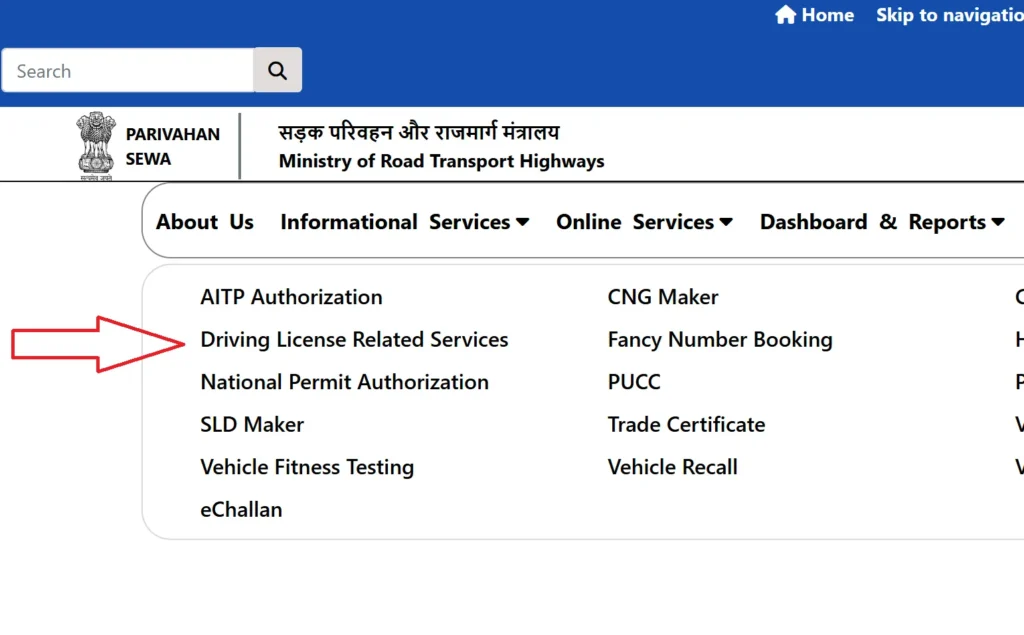
- Step 1: Visit parivahan.gov.in and select "Driving Licence Related Services".
- Step 2: Choose your State.
- Step 3: Click on "Apply for Driving Licence" (Ensure you hold a valid Learner's License).
- Step 4: Fill in the application (Form 4) and upload required documents (Age proof, Address proof, Learner's License).
- Step 5: Pay the required fee online.
- Step 6: Book a slot for the Driving Skill Test at your local RTO.
- Step 7: Visit the RTO on the scheduled date for the test. Upon passing, the DL is dispatched via speed post.
3. Fee Structure for DL Services
| Service | Fee (₹) |
|---|---|
| Learner's License Issue (Per Class) | ₹150 |
| LL Test Fee | ₹50 |
| Permanent Driving License Issue | ₹200 |
| Smart Card Fee (Additional) | ₹200 |
| Driving Test (Per Class) | ₹300 |
| Renewal of Driving License | ₹200 |
| Duplicate License Issue | ₹500 |
| International Driving Permit | ₹1,000 |
Vehicle Related Services (Vahan)
Apart from checking owner details, the Vahan system allows users to manage official vehicle documents.
Online Services:
- Registration Renewal: Apply for renewal before the RC expires (15 years for private vehicles).
- Transfer of Ownership: Essential when buying or selling a used car (Forms 29 & 30).
- Hypothecation Termination: (Crucial) Remove the bank's name from your RC after paying off your car loan.
- Duplicate RC: Apply for a copy if your Registration Certificate is lost or damaged.
- BH Series Registration: Apply for the new Bharat Series number plate, which allows seamless transfer of vehicles across states (eligible for defense/central govt/private employees with offices in 4+ states).
- HSRP Booking: Book your High Security Registration Plate (mandatory in many states) via linked portals.
Important Vehicle Forms
| Form Number | Purpose |
|---|---|
| Form 20 | Application for New Vehicle Registration |
| Form 28 | No Objection Certificate (NOC) for interstate transfer |
| Form 29 | Notice of Transfer of Ownership (Seller) |
| Form 30 | Application for Transfer of Ownership (Buyer) |
| Form 33 | Change of Address in RC |
| Form 35 | Termination of Hypothecation (Loan Closure) |
eChallan System: Check and Pay Fines
The eChallan facility allows vehicle owners to check if they have any pending traffic violation fines and pay them instantly.
How to Check & Pay:
- Visit echallan.parivahan.gov.in.
- Click on "Check Challan Status".
- Search using one of three methods:
- Challan Number
- Vehicle Number (Last 5 digits of Chassis/Engine no. required)
- DL Number
- If a challan is found, click "Pay Now".
- Complete the payment via Net Banking, UPI, or Credit/Debit Card.
- Save the Transaction Receipt for future reference.
Helpdesk & Contact Details
If you face issues with the portal, you can contact the official support teams.
| Issue Type | Email Support | Contact Number |
|---|---|---|
| Vehicle / Vahan | helpdesk-vahan@gov.in | +91-120-4925505 |
| License / Sarathi | helpdesk-sarathi@gov.in | +91-120-4925505 |
| mParivahan App | helpdesk-mparivahan@gov.in | N/A |
| eChallan | helpdesk-echallan@gov.in | N/A |
Frequently Asked Questions (FAQs)
1. Is it mandatory to carry a physical Driving License?
No, if your Driving License and RC are stored in the DigiLocker or mParivahan app, they are legally recognized by traffic authorities as per the IT Act.
2. What is the BH Series registration?
The BH (Bharat) Series is a new registration mark that allows vehicle owners to move to different states without the need to re-register their vehicle or pay road tax again in the new state.
3. How do I remove the bank's name (Hypothecation) from my RC?
Once you pay off your loan, obtain an NOC from the bank. Then, visit the Parivahan portal, select "Hypothecation Termination," upload Form 35 and the NOC, and pay the fee to get an updated RC.
4. What is the validity of a Learner's License?
A Learner's License is valid for 6 months. You can apply for a permanent license 30 days after the LL is issued.
5. How do I pay road tax online?
Go to the Parivahan portal, select "Vehicle Related Services," enter your registration number, and select the "Pay Tax" option to proceed.